Lives at the screen's edge
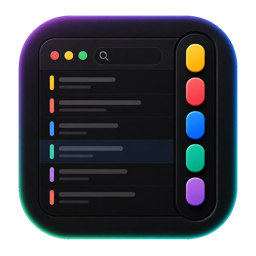
A dock-icon-free pill of colored dashes tucked against either edge of your screen — out of the way until you need it.
For Mac · Menu Bar Utility
CapsulePad docks a thin pill of colored notes to the edge of your screen. Bring your pointer close and it fans out into a labeled tab — click to open it full-size, or drive the whole thing from the keyboard without ever touching the mouse.
Menu-bar utility for macOS 14 Sonoma or later. An iPhone & iPad companion is planned.
No heavyweight notes app. A fast, native menu-bar tool that stays out of the way until the exact moment you need it.
A dock-icon-free pill of colored dashes tucked against either edge of your screen — out of the way until you need it.
Move the pointer close and the pill opens into one labeled tab at a time, sized to fit its own title — not a fixed, oversized bar.
A combined Notes & Settings window behind a simple segmented control — no separate popups to hunt for.
Filter the notes list instantly, active or archived, without leaving the keyboard.
CapsulePad auto-varies each new note's color for you, or pick your own default from Settings.
Reorder from the dock or the notes list — both stay perfectly in sync, since they share one order.
Soft-archive a note for later, or permanently delete it with a confirmation — your call, either state.
Open any note from the dock in its own window, sized to what you're writing.
Tap a note in the list and edit it right there in a drawer, without leaving the window you're in.
⌥⌘N new note, ⌥⌘A open, ⌥⌘L archive the frontmost note — all without asking for Accessibility access.
Mirrors your notes through your own iCloud Drive, with a live folder watcher that picks up another Mac's changes while you work — not just at launch.
Every note is saved on your Mac first, via SwiftData — iCloud sync is an extra, never a requirement.
A real glass dock and toolbars on macOS 26, with clean material fallbacks all the way back to Sonoma.
Left or right side of the screen — whichever side stays out of your other windows' way.
100% Swift, no Electron, no background bloat. It launches instantly and stays out of the way until called on.
No account, no analytics SDK. Your notes stay on your Mac, and on your own iCloud if you turn sync on.
Every core action has a shortcut that works from anywhere on your Mac — no need to find the dock or open a window first.
CapsulePad saves every note locally in a SwiftData store on your Mac. There's no account, and no server of ours is ever in the path of what you write.
Turn on iCloud sync and CapsulePad mirrors your notes as plain files through your own iCloud Drive — the same account you already use, not a service we run. A live folder watcher picks up another Mac's changes while CapsulePad is open, not just at the next launch.
Read the full privacy policy →
CapsulePad is finishing up before its debut — check back soon.
Coming SoonFor Mac · macOS 14 Sonoma or later